Prompt Gemini Edit Foto: 12 Teknik Ubah Foto Biasa Jadi Masterpiece dalam 20 Detik
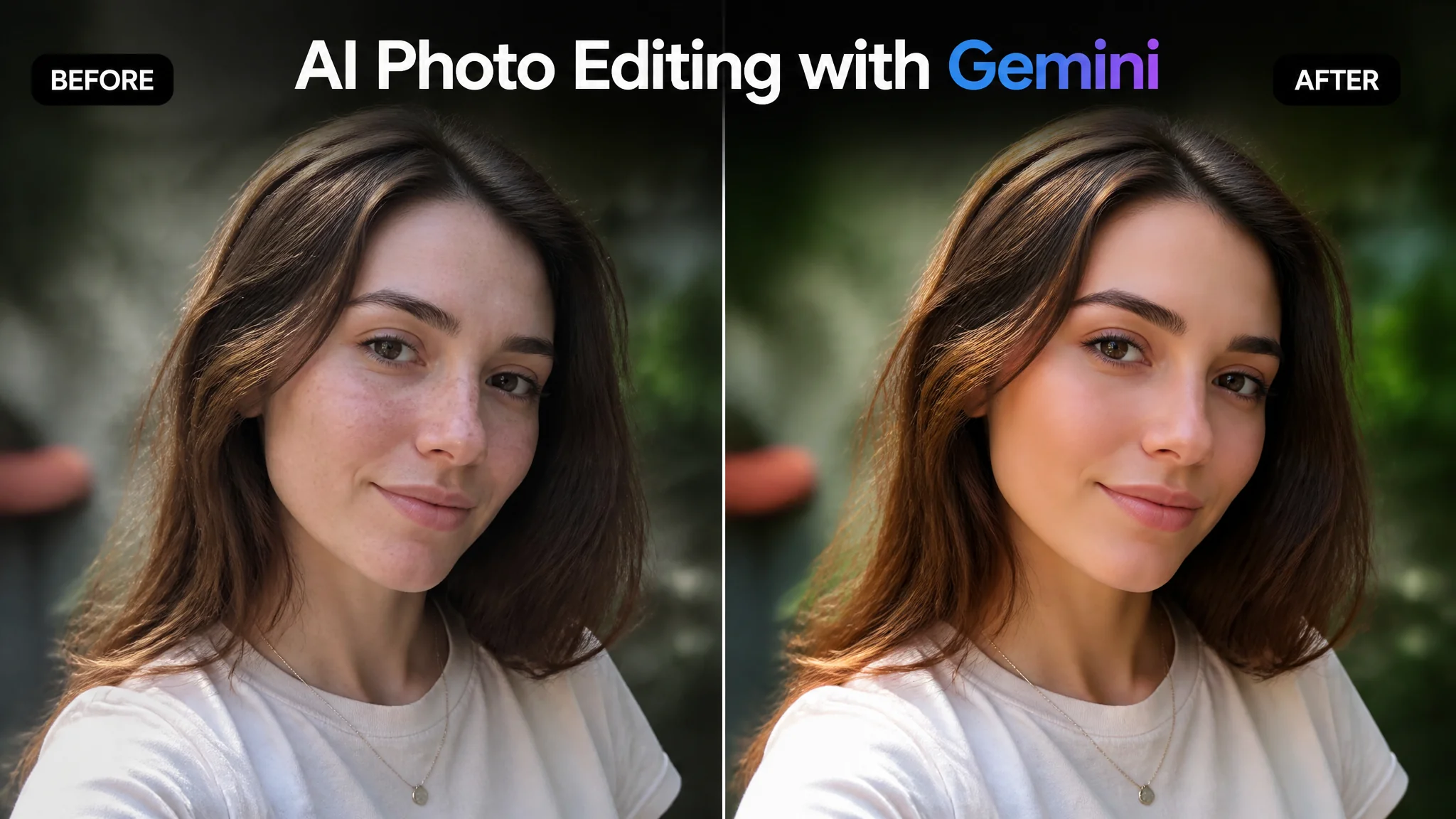
Singkatnya: Gemini 3.5 Flash sekarang udah bisa edit foto langsung — upload gambar, ketik apa yang mau diubah, dan 20 detik kemudian foto kamu berubah total. Bedanya sama Photoshop? Nggak perlu skill teknis sama sekali. Cuma perlu tau prompt yang tepat. Ini 12 teknik prompt Gemini edit foto yang paling berguna di 2026.
Waktu Google ngumumin Gemini bisa edit foto langsung di chat — gue skeptis. "Paling cuma fitur basic, nggak bakal sebagus Photoshop." Tapi setelah nyobain sendiri... gue salah besar. Dalam beberapa task, Gemini actually lebih bagus dari tools khusus edit foto. Object removal-nya lebih natural, background replacement-nya lebih seamless, dan yang paling gila: dia ngerti konteks.
Maksud gue "ngerti konteks" — kamu bisa bilang "bikin suasananya lebih ceria" dan Gemini paham itu artinya tambahin warna-warna warm, naikin brightness dikit, tambahin subtle sun flare. Nggak perlu jelasin parameter teknis satu-satu. Ini yang bikin Gemini beda dari tool edit foto tradisional yang butuh slider dan adjustment layer.
Menurut Google AI Blog (2026), Gemini image editing sekarang diproses langsung oleh Gemini 3.5 Flash dengan latensi rata-rata 15-20 detik — lebih cepet 3x dari tool editing berbasis cloud lain. Gratis pula.
Kenapa Gemini Spesial Buat Edit Foto?
Gemini punya 3 keunggulan utama dibanding tool edit foto AI lain: multimodal understanding, instruction following yang superior, dan integrasi langsung dengan Google Photos.
Multimodal understanding: Gemini literally "melihat" foto kamu — dia ngerti komposisi, objek, lighting, bahkan mood foto. Ini bikin dia bisa ngasih saran edit yang kontekstual, bukan cuma eksekusi perintah buta.
Instruction following: Dari semua AI model yang gue test, Gemini paling akurat nurutin instruksi edit yang kompleks. Prompt: "Hapus orang di background kiri, tapi pertahanin bayangan mereka di lantai karena itu nambah depth" — Gemini ngerti dan ngejalanin. Tool lain biasanya hapus orang + bayangannya sekaligus.
Google Photos integration: Kalau kamu pakai Google Photos, Gemini bisa langsung akses dan edit foto dari library kamu. Nggak perlu download-upload manual. Workflow-nya seamless.
12 Teknik Prompt Gemini Edit Foto
Udah di-test langsung — ini 12 prompt yang paling sering gue pakai. Semua bisa dieksekusi dalam 20 detik:
1. Hapus Orang / Objek
"Remove the person in the red shirt standing behind me. Fill the space naturally with surrounding background elements. Maintain original lighting and shadows."
2. Ganti Langit / Sky Replacement
"Replace the sky with a dramatic sunset — orange and pink gradients with scattered clouds. Adjust overall photo white balance to match warm sunset lighting. Keep foreground elements unchanged."
3. Tambahin Elemen
"Add a hot air balloon in the upper right portion of the sky. Match the lighting and color temperature of the existing scene. The balloon should look naturally placed, not pasted on."
4. Ubah Musim / Cuaca
"Transform this summer photo into autumn. Change green leaves to orange and red fall colors. Add subtle fallen leaves on the ground. Adjust overall color palette to warm autumn tones. Keep the subject and composition unchanged."
5. Perbaiki Pencahayaan
"Fix the underexposed face in this photo. Brighten the subject's face by approximately 1.5 stops while preserving the moody background lighting. Recover shadow details without making it look artificially brightened."
6. Gaya Artistik
"Transform this photo into a Studio Ghibli-style illustration. Soft watercolor textures, dreamy atmosphere, pastel color palette. Maintain the original composition and recognizable elements. Do not make it look like a cheap filter — aim for authentic hand-painted feel."
7. Perbaiki Komposisi
"Recrop and extend this photo to improve composition. Use rule of thirds — place the subject on the left third line. Extend the right side naturally to create more breathing room. AI-generated extension should match the original scene seamlessly."
8. Hapus Watermark / Teks
"Remove the text watermark in the bottom right corner. Fill the area with matching background elements. No visible editing traces."
9. Ubah Ekspresi Wajah
"Subtly adjust the subject's expression from neutral to a slight natural smile. Keep the change minimal and believable. Do not alter face shape, eye color, or any other feature. The smile should look like a genuine moment captured."
10. Bikin Bokeh / Blur Background
"Apply professional portrait bokeh to the background. The bokeh should have a natural creamy quality with gradual depth falloff. Keep the subject pin-sharp. Simulate an f/1.4 aperture look."
11. Color Grade Cinematic
"Apply cinematic color grading to this photo: teal shadows, warm orange midtones and highlights. Add subtle film grain. The result should look like a frame from a movie, not an over-filtered Instagram post."
12. Restorasi +Colorize Foto Hitam Putih
"Colorize this black and white photo with historically accurate colors. Restore any faded details and reduce visible scratches. Maintain the vintage character — do not make it look like a modern photo."
Gemini vs Tool Edit Foto AI Lain
Biar tau kapan pakai Gemini dan kapan pakai tool lain:
| Task | Gemini | ChatGPT/DALL-E | Photoshop AI |
|---|---|---|---|
| Object removal | Sangat Bagus | Bagus | Sangat Bagus |
| Background replacement | Sangat Bagus | Bagus | Bagus |
| Style transfer | Bagus | Sangat Bagus | Bagus |
| Color grading | Sangat Bagus | Bagus | Sangat Bagus |
| Face editing | Bagus | Terbatas | Bagus |
| Complex multi-step | Sangat Bagus | Sedang | Sangat Bagus |
| Harga | Gratis | $20/bln | $23/bln |
Kesimpulan gue: Gemini juara untuk task editing yang butuh "pemahaman konteks" — ganti mood, adjust lighting, tambahin elemen yang harus nyambung sama scene. Untuk task purely teknis (seperti seleksi presisi pixel), Photoshop AI masih lebih superior.
FAQ: Seputar Prompt Gemini Edit Foto
Gemini bisa edit foto beresolusi tinggi?
Input max tergantung versi, tapi biasanya bisa handle foto sampai 4K. Output biasanya di-resize ke resolusi standar — kalau butuh full resolution, kamu mungkin perlu upscale tool tambahan.
Apakah hasil edit Gemini konsisten?
Untuk task basic (hapus objek, ganti background, adjust lighting) — sangat konsisten, 85-90% success rate. Untuk task kompleks (multi-step editing sekaligus) — kadang perlu 2-3 attempt. Regenerate kalau hasil pertama kurang bagus.
Bisa edit banyak foto sekaligus?
Satu per satu. Gemini nggak support batch editing. Tapi untuk single photo editing, dia paling cepet — rata-rata 15-20 detik per edit.
Data foto aman nggak di Gemini?
Google klaim foto yang di-upload untuk editing nggak dipakai buat training. Tapi aturan standard tetap berlaku: jangan upload foto sensitif atau confidential. Common sense aja.
Gemini edit foto udah level yang bikin gue jarang buka Photoshop lagi. Bukan karena Gemini lebih powerful — Photoshop masih raja untuk editing presisi. Tapi untuk 80% kebutuhan editing sehari-hari? Gemini lebih cepet, lebih simpel, dan gratis.
Eksperimen dengan 12 prompt di atas dan lihat sendiri hasilnya. Edit foto yang biasanya butuh 45 menit sekarang bisa 45 detik — dengan prompt yang tepat. Lanjut eksplor prompt edit foto AI, Gemini foto prompt, dan prompt AI realistic untuk skill yang lebih advanced. Kalau artikel ini ngebantu, share ke temen yang masih edit foto manual sejam — update mereka soal cara yang lebih cepet!