Prompt Edit Foto AI: 15 Template Rahasia Biar Edit Foto Cuma 30 Detik
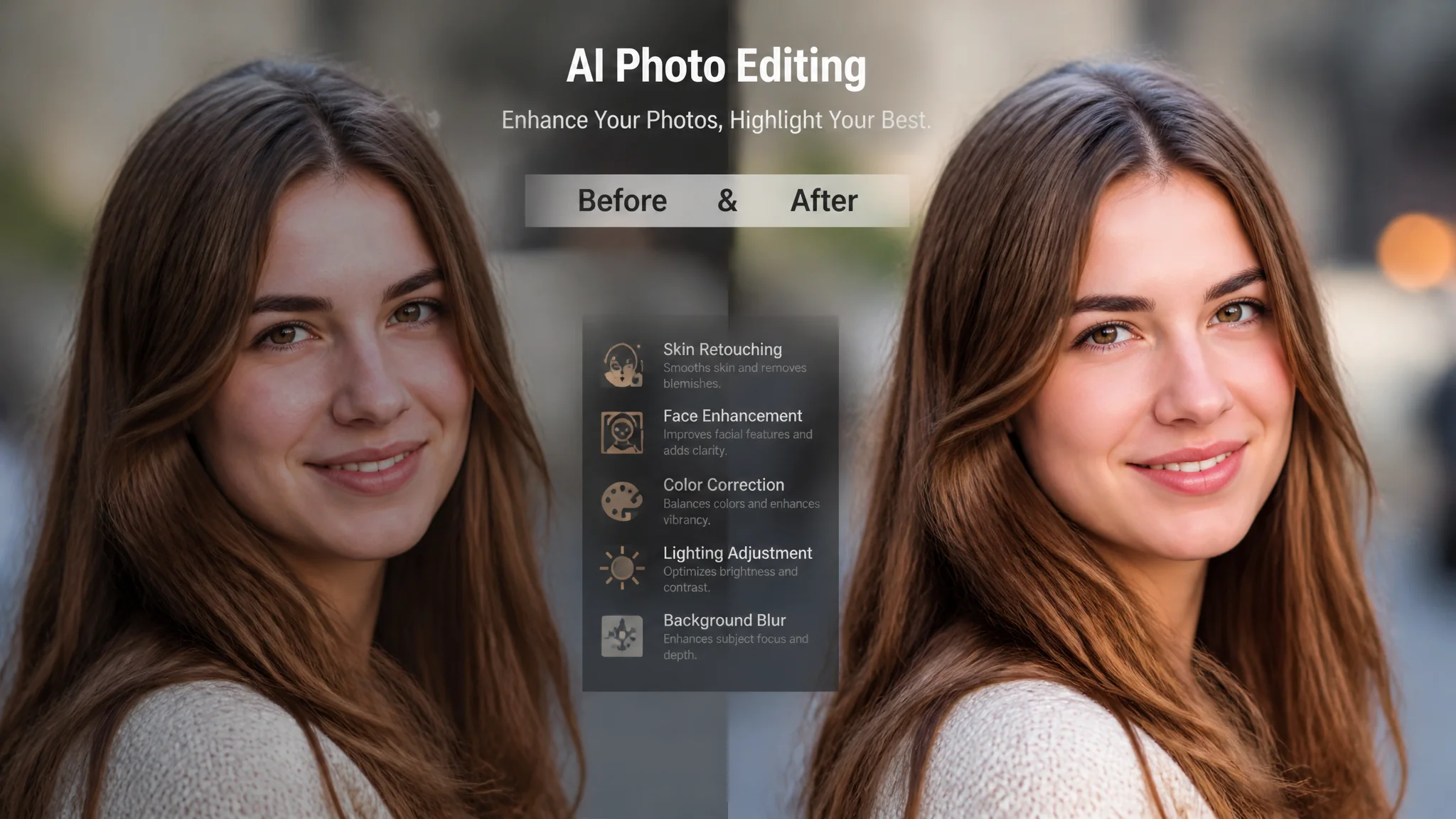
Singkatnya: Edit foto pakai AI sekarang udah level Photoshop — tapi prosesnya cuma 30 detik. Kuncinya? Prompt yang tepat. Gue udah kumpulin 15 template prompt edit foto AI yang works di ChatGPT, Gemini, dan tool AI editing lainnya. Dari hapus background, enhance resolusi foto burem, ganti baju, sampai restorasi foto jadul 20 tahun — semua ada template-nya.
Dulu gue sempet skeptis. "Edit foto pakai AI? Paling hasilnya aneh-aneh, tangan jadi 6 jari atau muka melting." Tapi setelah nyobain Gemini image generation dan ChatGPT image editing di Q2 2026 — gue kaget. Hasilnya bisa se-level editor semiprofesional buat task-task basic. Bahkan untuk beberapa task, AI lebih cepet dan hasilnya lebih konsisten.
Yang bikin beda drastis? Bukan tool-nya — tapi cara kamu nulis instruksinya. Prompt edit foto itu nggak bisa asal "editin foto gue jadi bagus." Harus spesifik: apa yang diubah, style apa yang diinginkan, detail teknis (lighting, angle, color grading). Makin spesifik prompt, makin presisi hasilnya. That's the game.
Menurut laporan Statista 2025, pasar AI image editing global udah tembus $4.5 miliar — dan diprediksi tumbuh 28% per tahun sampai 2030. Artinya tools bakal makin canggih, yang berubah cuma gimana kita ngasih instruksinya.
Apa Itu Prompt Edit Foto AI
Prompt edit foto AI adalah instruksi teks yang dikirim ke AI image model (seperti Gemini 3.5 Flash, ChatGPT DALL-E, atau Canva AI) untuk melakukan operasi editing spesifik pada gambar — tanpa perlu skill Photoshop atau Lightroom. Prompt ini bisa berupa deskripsi hasil akhir, atau instruksi teknis seperti "hapus background, ganti jadi warna putih, tambahin shadow natural."
Bedanya sama prompt generate gambar dari nol? Kalau generate, kamu deskripsiin sesuatu yang belum ada. Kalau edit, kamu deskripsiin perubahan yang pengen kamu terapin ke gambar yang udah ada. Ini ngebedain banget cara nulis prompt-nya. Di edit foto, kamu harus selalu refer ke elemen yang udah ada di foto — bukan bikin hal baru dari nol.
Contoh gampang: prompt generate = "seorang wanita di pantai." Prompt edit = "ganti background pantai di foto ini jadi city skyline, pertahanin lighting original." Lihat bedanya? Yang kedua spesifik ke foto yang sudah ada.
Gue personally paling sering pakai prompt edit foto buat 3 hal: hapus background produk buat marketplace, enhance foto selfie yang burem, dan restorasi foto keluarga jadul. Tiga use case ini yang paling banyak diminta temen-temen.15 Template Prompt Edit Foto AI Siap Pakai
Ini 15 prompt yang udah gue test di ChatGPT (DALL-E 4) dan Gemini (3.5 Flash). Semua works, tapi hasil terbaik biasanya di Gemini — image editing Gemini lebih presisi untuk task spesifik.
1. Hapus Background (Product Photo)
"Remove the background of this product photo. Replace it with pure white (#FFFFFF). Add a soft, natural shadow beneath the product. Keep the product 100% original — no color change, no shape alteration. Output: product photo on white background, e-commerce ready."
2. Enhance Resolusi Foto Burem
"Enhance this photo to 4K resolution. Sharpen facial details without making it look artificial. Improve lighting balance — brighten shadows, tone down highlights. Keep the original composition and colors. Output: high-resolution version with natural enhancement."
3. Ganti Background Portrait
"Change the background of this portrait photo to [DESKRIPSI BACKGROUND BARU]. Keep the subject lighting consistent with the new background. The subject should remain unchanged — same clothes, same pose, same expression. Output: natural-looking portrait with new background."
4. Beautify Wajah Natural
"Subtle face enhancement for this photo: smooth skin texture slightly (not plastic), brighten under-eye area, whiten teeth naturally, remove minor blemishes. DO NOT change face shape, eye color, or add heavy makeup. Output: naturally enhanced portrait, still recognizable as the same person."
5. Ganti Baju / Outfit
"Change the outfit of the person in this photo to [DESKRIPSI BAJU]. Maintain natural fabric texture and lighting. Keep the person's pose and background unchanged. Output: same photo with new outfit, realistic fabric rendering."
6. Color Grading (Cinematic Look)
"Apply cinematic color grading to this photo: teal and orange tones, slightly crushed blacks, warm highlights. Keep the composition unchanged. Output: cinematic-grade photo with Hollywood color palette."
7. Hapus Objek / Orang
"Remove the [OBJEK/ORANG] from this photo. Fill the removed area naturally with surrounding background elements. No visible editing artifacts. Output: clean photo without the specified object."
8. Restorasi Foto Jadul
"Restore this old photo: remove scratches and noise, enhance faded colors, sharpen details, fix torn edges. Keep the vintage aesthetic but make it look clean and preserved. Output: restored photo with natural vintage character maintained."
9. Ubah Lighting / Pencahayaan
"Change the lighting of this photo from [CURRENT LIGHTING] to [TARGET LIGHTING]. Adjust shadows, highlights, and color temperature accordingly. Subject and composition remain unchanged. Output: re-lit photo with natural light behavior."
10. Pas Foto Formal
"Convert this selfie into a formal passport/ID photo. Requirements: plain white or light blue background, front-facing, neutral expression, even lighting, no shadows on face or background. Output: passport-ready photo meeting official requirements."
11. Tambahin Elemen ke Foto
"Add [ELEMEN] to this photo at [LOKASI]. Make it look naturally integrated — matching lighting, perspective, and scale. Output: enhanced photo with seamlessly added element."
12. Ubah Style Foto
"Transform this photo into [STYLE] style: [watercolor painting / pencil sketch / oil painting / anime / 3D render]. Keep the subject and composition recognizable. Output: artistic version of the original photo."
13. Blur Background (Portrait Mode)
"Apply professional portrait mode bokeh to this photo. Blur the background naturally with gradual depth of field falloff. Keep the subject sharp and in focus. Output: DSLR-quality portrait with creamy background bokeh."
14. Koreksi Warna Baju / Produk
"Change the color of [ITEM] in this photo from [WARNA LAMA] to [WARNA BARU]. Maintain texture, lighting, and shadow. Output: same photo with color-changed item."
15. Bikin Foto jadi Profesional
"Professional photo enhancement: improve composition (rule of thirds), adjust white balance, increase contrast slightly, reduce noise, sharpen key details. Make this candid photo look like a professional photoshoot. Output: magazine-quality photograph."
Tips Biar Prompt Edit Foto AI Hasilnya Maksimal
Ada beberapa trik yang gue pelajari dari trial-error ratusan kali — ini yang bikin beda antara hasil "lumayan" sama "wah ini AI atau editor beneran sih?":
1. Selalu sebutin "keep [X] unchanged." AI punya kecenderungan untuk ngerubah hal-hal yang nggak kamu minta. Kalau kamu cuma mau ganti background, explicit mention: "keep the subject unchanged, same pose, same clothes." Jangan asumsi AI bakal ngertiin sendiri — itu resep frustrasi.
2. Gunakan deskripsi teknis. Daripada "bikin lebih terang", tulis "increase exposure +0.5 stops, lift shadows +15%, reduce highlights -10%." Banyak AI model sekarang ngerti parameter teknis photography. Makin teknis prompt kamu, makin presisi hasilnya. Tapi jangan over — 2-3 parameter aja cukup, jangan sampe 10 parameter sekaligus.
3. Sertakan "before-after" expectation. Prompt: "Saat ini foto terlalu dark di bagian kiri. Saya ingin sisi kiri terang dengan exposure yang match dengan sisi kanan." Kasih referensi kondisi awal — AI jadi bisa "ngukur" seberapa banyak perubahan yang kamu mau.
4. Untuk restorasi: kasih tau tingkat agresivitas. Ada prompt yang bikin foto jadul jadi terlalu "plastik" karena AI over-enhance. Sertakan constraint: "natural restoration only, do not make faces look plastic or over-smoothed."
5. Test di multiple tools. Satu prompt yang sama bisa beda hasil di Gemini vs ChatGPT vs Canva AI. Kalau hasil kurang memuaskan, jangan langsung ganti prompt — coba dulu di tool lain. Kadang tool-nya yang kurang capable, bukan prompt-nya yang salah.
Gue udah sering banget kejebak di poin 5 ini. Prompt udah perfect, tapi tool-nya nggak support task tersebut. Terus ganti tool — hasilnya langsung bagus. Frustrasi 30 menit, solusinya ganti tool aja.
Tool AI Terbaik Buat Edit Foto (Perbandingan)
Nggak semua AI tool jago di semua jenis edit foto — ada yang jago hapus background, ada yang jago enhance, ada yang all-rounder.
| Tool | Paling Jago | Gratis? | Hasil Maks Butuh |
|---|---|---|---|
| Gemini 3.5 Flash | Edit spesifik (hapus bg, ganti objek) | Ya (limited) | Prompt deskriptif + spesifik |
| ChatGPT DALL-E 4 | Style transfer, creative editing | Plus ($20/bln) | Referensi style detail |
| Canva AI | Quick edit, social media ready | Ya (basic) | Template + AI assist |
| Adobe Firefly | Professional object removal | Limited | Photoshop integration |
| Clipdrop (by Stability) | Background removal, relighting | Ya (limited) | Satu klik, minimal prompt |
Buat pemula, gue saranin start dari Gemini — gratis, hasilnya bagus, dan paling forgiving sama prompt yang kurang sempurna. Udah nyaman? Upgrade ke tools yang lebih specialized sesuai kebutuhan.
FAQ: Seputar Prompt Edit Foto AI
Bisa edit foto orang tanpa izin?
Secara teknis bisa, tapi jangan. Etika tetap berlaku — selalu minta izin sebelum edit foto orang lain. Apalagi untuk keperluan komersial. Beberapa AI tool bahkan punya built-in restriction untuk face editing tanpa consent.
Hasil edit AI bisa dipake buat print?
Tergantung resolusi output. Kebanyakan AI tool ngasih output 1024x1024 atau 2048x2048 — cukup buat digital dan print ukuran kecil. Buat print besar (A3 ke atas), kamu masih perlu upscale tool tambahan kayak Topaz Gigapixel.
Prompt di atas work buat semua AI tool?
Strukturnya work, tapi hasilnya beda per tool. Beberapa tool lebih suka prompt pendek dan direktif, beberapa lebih responsif ke prompt panjang dan deskriptif. Cek dokumentasi tool masing-masing.
Kenapa kadang hasilnya aneh (distorted)?
Biasanya karena prompt terlalu kompleks atau kontradiktif. Misal: "ganti baju jadi merah" + "keep original clothing." AI bingung, hasilnya jadi aneh. Solusi: sederhanakan prompt, satu instruksi per prompt.
Edit foto yang biasanya butuh 30 menit di Photoshop sekarang bisa 30 detik dengan prompt yang tepat. But learning curve-nya tetap ada — bukan di skill teknis, tapi di skill nulis instruksi ke AI. It's a new kind of literacy.
Kalau kamu udah nyobain beberapa prompt di atas dan ada yang nggak works, jangan frustrasi. Eksperimen dikit — ganti wording, tambah constraint, atau coba di tool lain. Prompt editing itu iteratif, sama kayak editing foto tradisional. Bedanya, di sini "ctrl+z" kamu itu revisi prompt, bukan undo history. Lanjut eksplor prompt ChatGPT untuk edit foto dan Gemini AI foto prompt buat lebih banyak template. Share ke temen yang masih edit foto manual 2 jam — kasih tau mereka cara yang lebih cepet!